Chart of Accounts List
Every account in your workspace's chart of accounts.
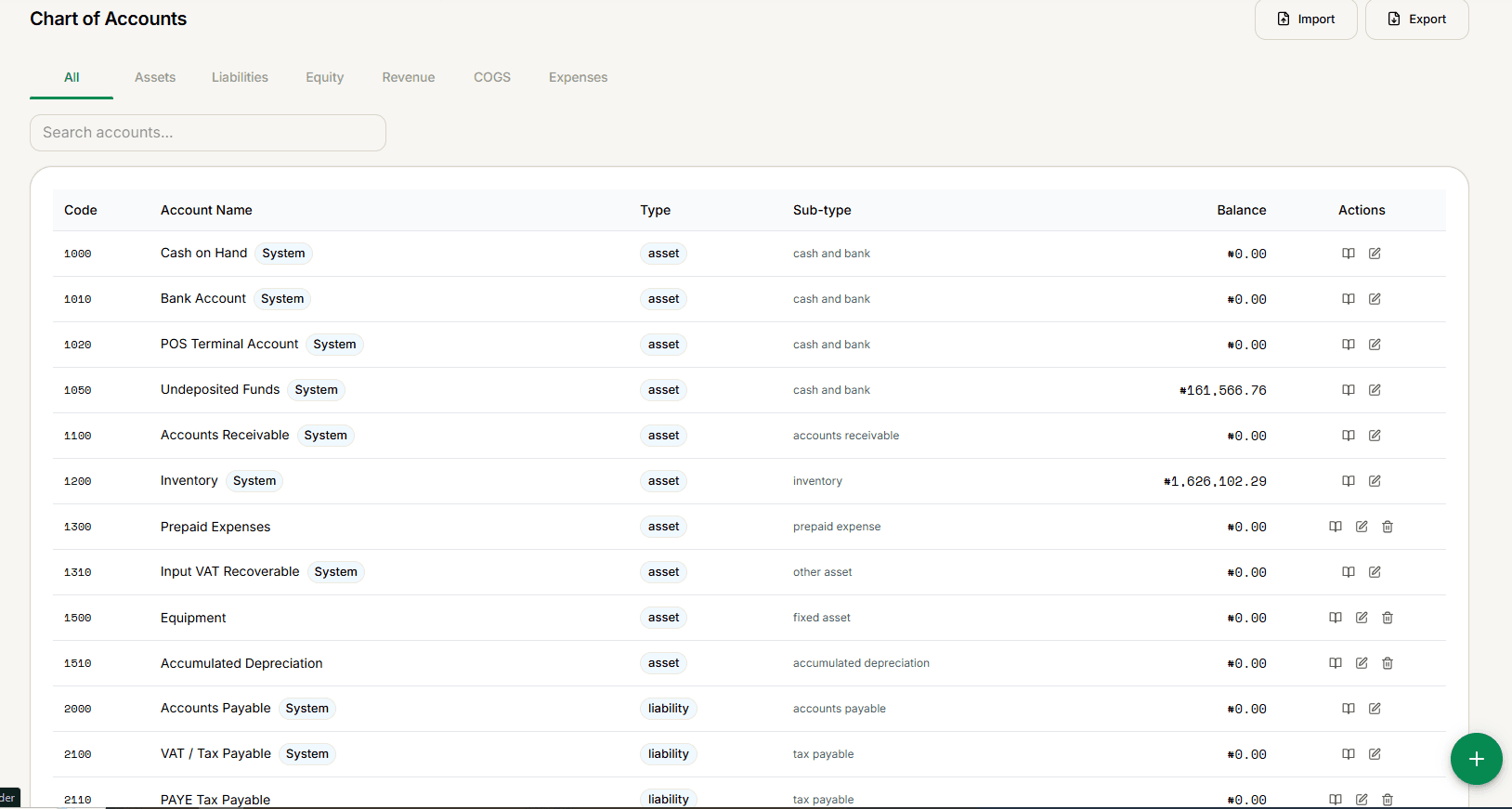
Lists every account, grouped by type: Assets, Liabilities, Equity, Revenue, COGS, or Expenses — plus an All tab.
New to accounting in PharmacyCopilot? Start with First-Time Setup: Seeding Default Accounts rather than building your chart from scratch.
Reading the table
Code, Account Name (sub-accounts nest visually under their parent, with a System badge on accounts PharmacyCopilot itself depends on), Type, Sub-type, Balance, and Actions.
Every row has View Ledger (opens its Account Ledger Drill-Down) and Edit. Deactivate is hidden for System accounts — they can't be removed.
Import and Export don't do anything yet — selecting either has no effect. This is a confirmed gap in the current build, not something you're doing wrong.
Adding an account
The + button opens Create Account.