Journal Entries List
Every journal entry — draft, posted, or voided — in your workspace.
Lists every journal entry, filterable by date range, status, source, and free-text search.
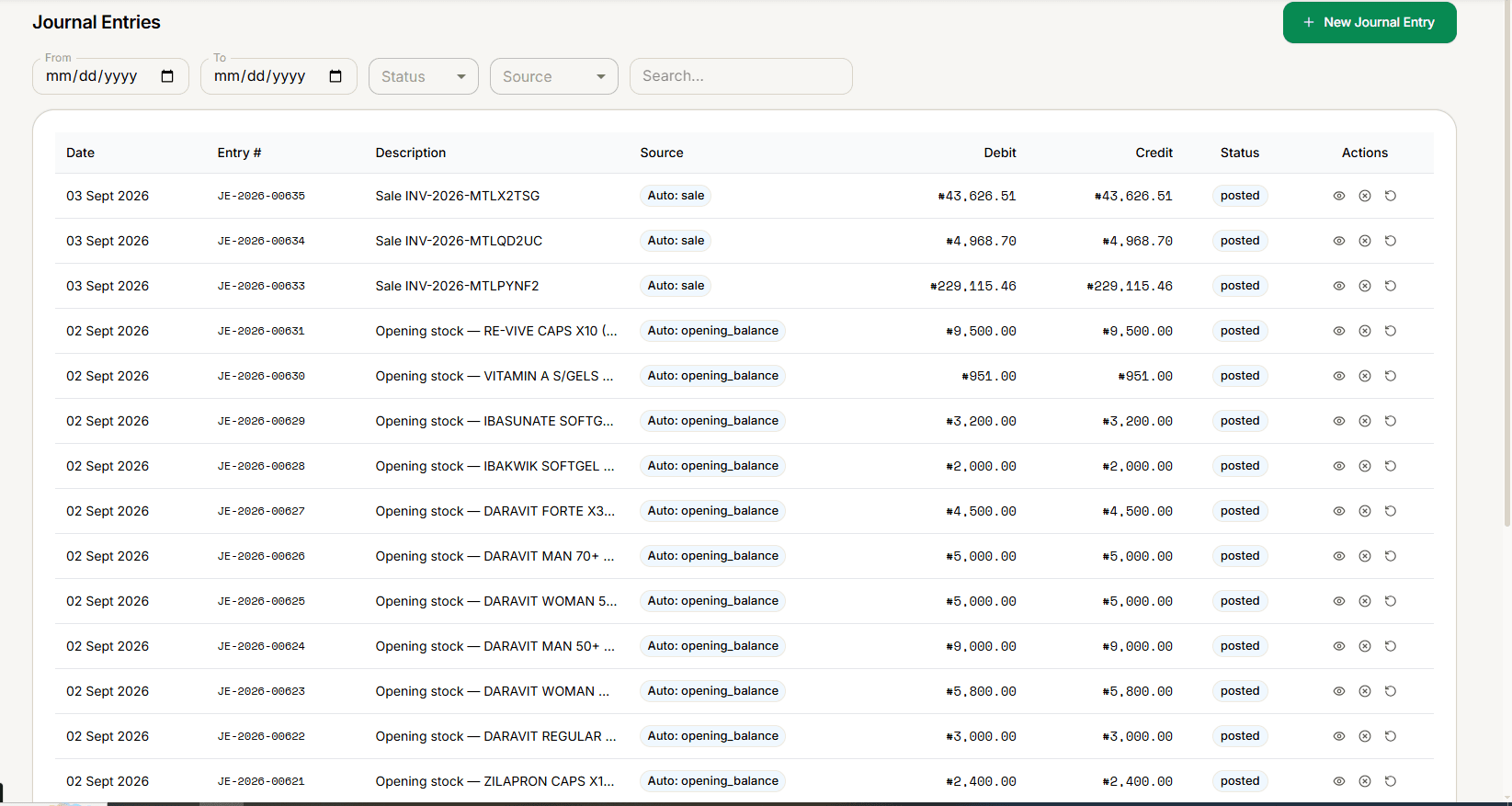
Filters
From / To dates, Status (All / Draft / Posted / Voided), Source (All / Manual / Sale / Purchase / Expense / Payroll / Adjustment), and a free-text Search.
Reading the table
Date, Entry #, Description, Source (shows Auto: sale, Auto: opening_balance, etc. for system-generated entries, or Manual for one you created), Debit, Credit, and Status.
Actions per entry
- View — always available, opens Journal Detail.
- Post — only for a draft entry.
- Void and Reverse — only for a posted entry, and only if it's an original posting.
A reversal entry can't itself be voided or reversed. Once you reverse or void an entry, the correcting entry that was created is excluded from further Void/Reverse actions — doing so again would re-apply the very error it corrected.
Voiding requires a reason (the button stays disabled until you enter one) and creates a reversal entry rather than deleting anything. Reversing lets you pick the reversal's date, creates a new entry with debits and credits swapped, and leaves both entries posted.
Create a new one with + New Journal Entry — see New Journal Entry.