Products List
Every product in your inventory, searchable and filterable.
Products List is your full inventory catalogue — search by name, and filter by category, unit, tax, brand, or business location.
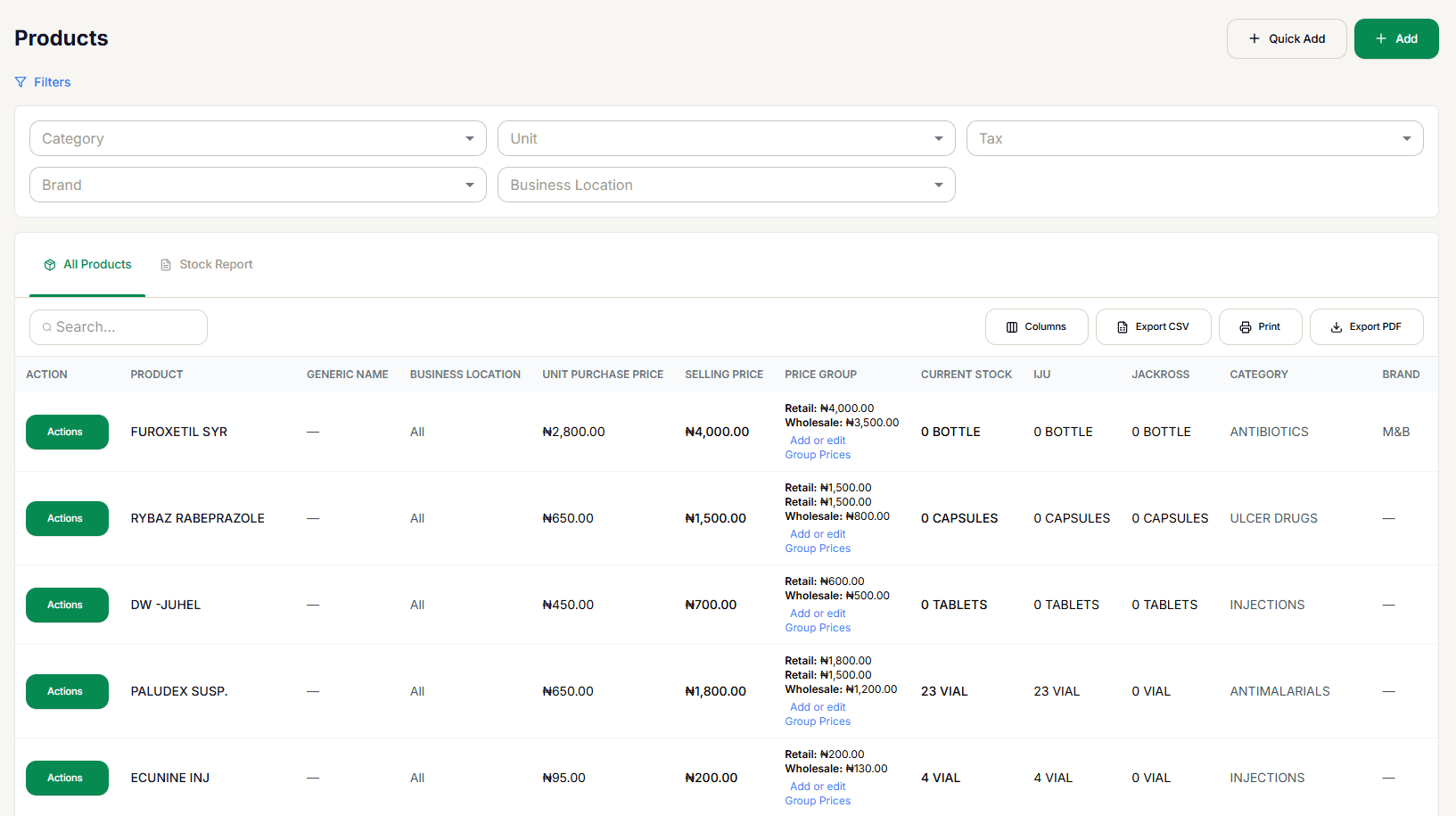
Reading the table
Each row shows the product, generic name, business location, unit purchase price, selling price, its Price Group (Retail/Wholesale pricing, with an Add or edit Group Prices link), current stock, a column per location, category, and brand. A Variable parent is marked with a Variable chip next to its name, and shows "— (per variation)" in place of a single cost/selling price/stock figure — those live on its variations instead, which appear as their own separate rows.
All Products and Stock Report are separate tabs on the same screen; Export CSV, Print, and Export PDF apply to whichever tab is active.
The Actions menu
Selecting Actions on any row opens:
- View — opens Product Detail.
- Edit — opens the same form as Add Product, pre-filled.
- Quick Price Edit — change cost and selling price without opening the full form.
- Add or Edit Opening Stock — set this product's starting stock quantity directly.
- Product Stock History — this product's full movement ledger.
- Add or Edit Group Prices — set this product's price under each Selling Price Group individually.
- Duplicate Product — create a copy to start a similar product from.
- Delete — with a confirmation dialog.
- Labels — shows "Labels feature coming soon"; not available yet.
Adding a product
Add and Quick Add both go to Add Product — they're the same form under two buttons, not two different flows. Add Variable Product goes to the separate Add Variable Product form instead, for a product with variations (different pack sizes or strengths).