Selling Price Groups
Pricing tiers — wholesale, retail, staff — that products can be priced under.
Selling Price Groups are named pricing tiers (e.g. Retail, Wholesale, Staff) — unlike Discounts, a price group is a straightforward price label rather than a promotional rule with limits and dates.
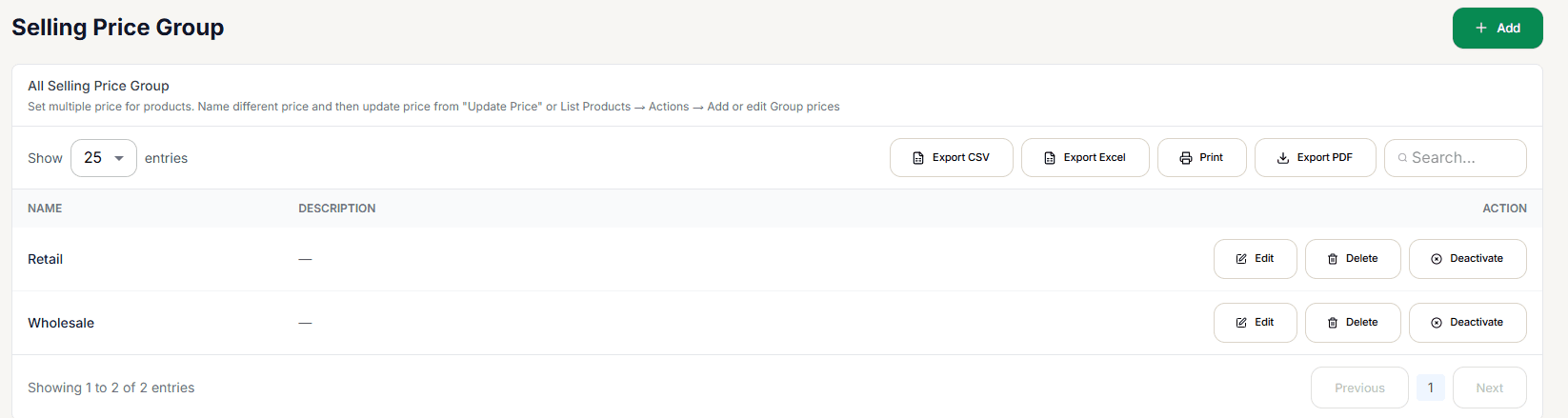
Managing groups
+ Add creates a new group (Name, required, plus an optional Description). The list itself is exportable (CSV/Excel/Print/PDF) and searchable by name.
Deactivate is a no-op — it shows a "Group deactivated" confirmation, but nothing is actually changed. This is a confirmed gap in the current build, not something you're doing wrong. Use Delete if a group is genuinely no longer needed — but see the warning below first.
Deleting a group permanently orphans every product's price for it. Every product's per-group price is linked to the group by its internal ID, not its name — deleting a group and creating a new one with the same name does not reconnect your existing per-product prices to it, even though the name looks identical in the list. If you need to rename a group, use Edit (which now updates the existing group in place) rather than deleting and re-creating it.
Once a group exists, assign products to it either from Add Product's Pricing section, or per-product via Add or Edit Group Prices on the Products List's Actions menu — then select the right group at checkout for the customer you're serving.
Switching groups at checkout
The Checkout Screen's price-group dropdown recalculates every line already in the cart the moment you switch it, not just items added afterward.
You don't have to switch it by hand for a customer who always buys at a given tier — link the tier to a Customer Group instead, and selecting that customer at checkout applies it automatically.