Process a Return
Return items from a specific sale, linked back to the original transaction.
Returns items against a specific, known sale — for a return without an original sale to point to, use Standalone Return & Approval instead.
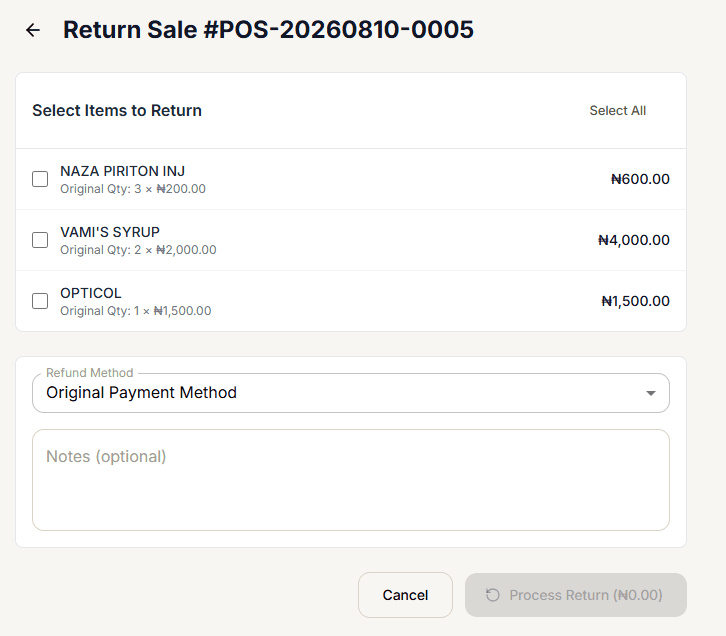
Select the items to return
Check each item you're returning, or use Select All (toggles to Deselect All once everything is checked). Checking an item reveals two fields just for that line:
- Return Qty — capped at the item's original quantity.
- Reason — Customer Request, Defective / Damaged, Wrong Item, Expired, or Other.
As you select items, a Refund Amount banner appears showing the running total.
Choose a refund method
Refund Method is Original Payment Method (the default), Cash, or Store Credit.
Add notes (optional)
Anything worth recording — e.g. "Customer changed mind, wrong product dispensed."
Process the return
Process Return shows the live refund total right in its own label (e.g. "Process Return (₦4,000.00)") and stays disabled until at least one item is selected.
A sale that's already been returned can't be returned again — you'll see "This sale has already been returned" instead of the form.
What happens
The return is linked to the original sale, and returned stock is restored to inventory.