Point of Sale & Business OperationsPoint of Sale, Sales & Till Management
Opening a Cash Drawer
Start a cash drawer session with an opening float.
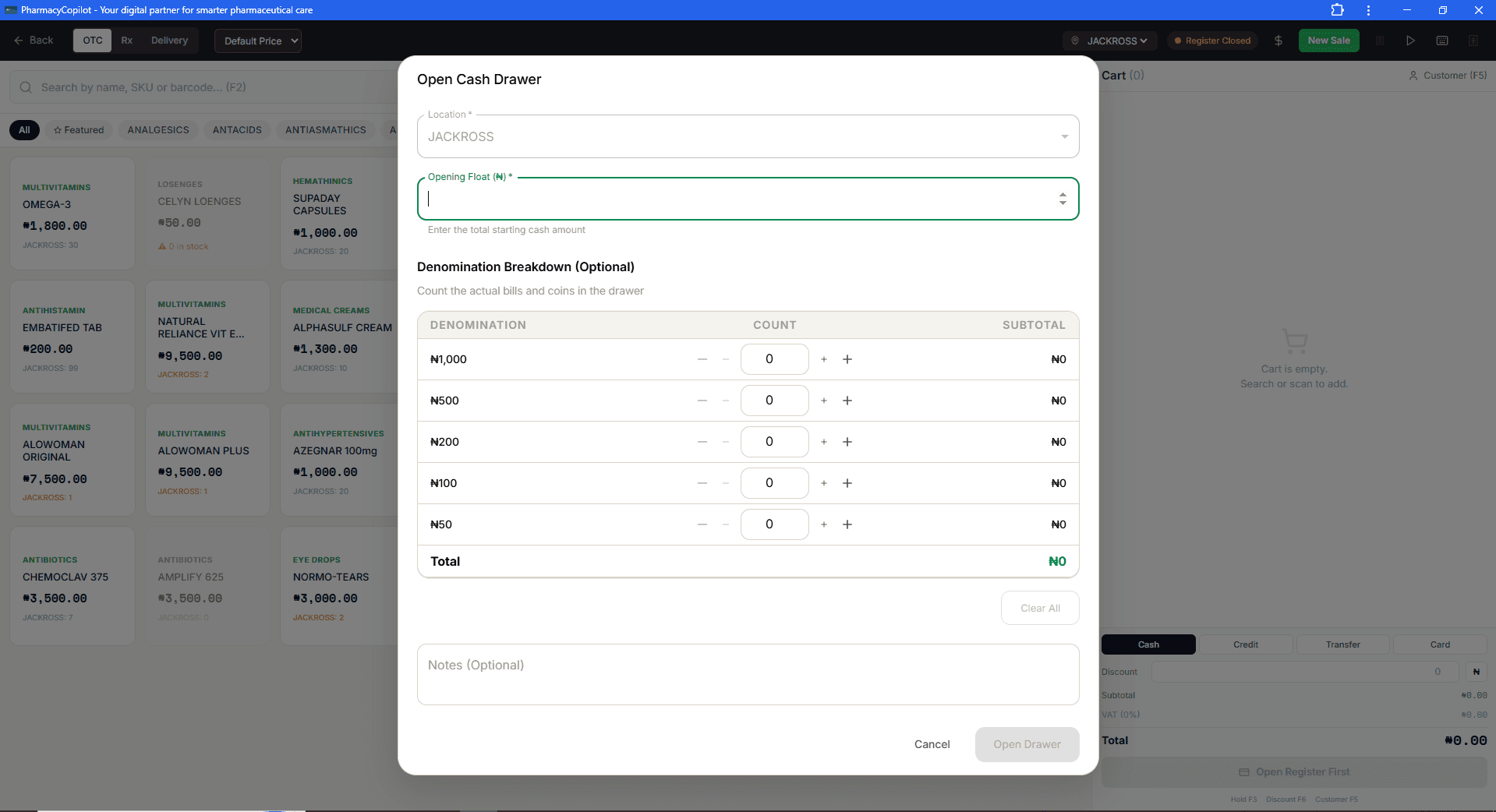
Fields
- Location (required)
- Opening float (required) — the starting cash amount
- Opening denominations — a breakdown by note/coin, optional but recommended for an accurate count later
- Shift — link to an active shift, if applicable
- Notes
Step by step
Confirm the location
Location defaults to where you're currently working. Change it only if you're opening a drawer for a different location.
Enter the opening float
Type the total starting cash amount into Opening Float (₦). This is the only other required field — Open Drawer stays disabled until it's filled in.
Count denominations (optional but recommended)
Use the +/− controls to record how many of each note you're starting with (₦1,000 down to ₦50). The table totals them automatically — if your count doesn't match the opening float you entered, it's worth re-counting before you open.
Add notes if needed, then open
Add anything worth recording in Notes (optional), then select Open Drawer.
Once opened, the drawer is active until closed or counted mid-shift.