Point of Sale & Business OperationsPoint of Sale, Sales & Till Management
Printing & Reprinting a Receipt
Print a receipt at checkout, or reprint one from a past sale.
Print a receipt right after completing a sale, or reprint one later from Sale Detail & Receipt — useful when a customer loses theirs or asks for a copy.
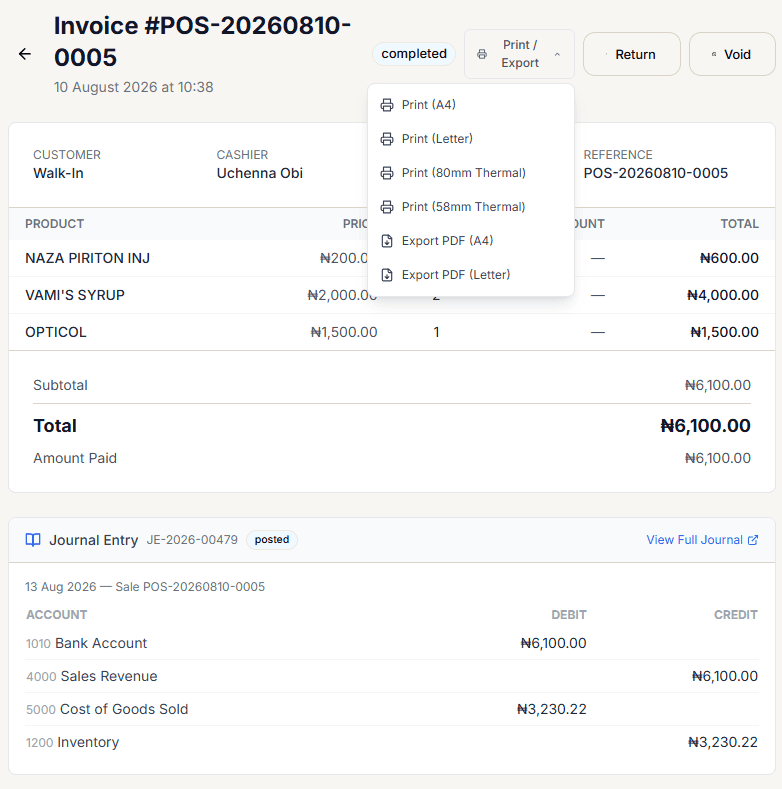
Print / Export menu
Select Print / Export on any sale to choose from 6 formats:
- Print (A4)
- Print (Letter)
- Print (80mm Thermal)
- Print (58mm Thermal)
- Export PDF (A4)
- Export PDF (Letter)
Every format pulls from the same live sale data — items, totals, payment, and your business's own name/address/phone/email as configured in Business Settings.
Desktop only:
Desktop supports direct thermal receipt-printer output; the web app generates a browser print/PDF instead.
Reprinting later
Open the sale from Sales List & History, then use the same Print / Export menu on its Sale Detail page — nothing about a past sale prevents reprinting it, no matter how old it is.