Point of Sale & Business OperationsPoint of Sale, Sales & Till Management
Cash Drawer Detail & Audit Trail
A drawer session's opening/closing balances, transactions, and full audit history.
Shows a cash drawer session's opening float, every transaction recorded against it, and — once closed — its closing balance and any variance between expected and counted cash.
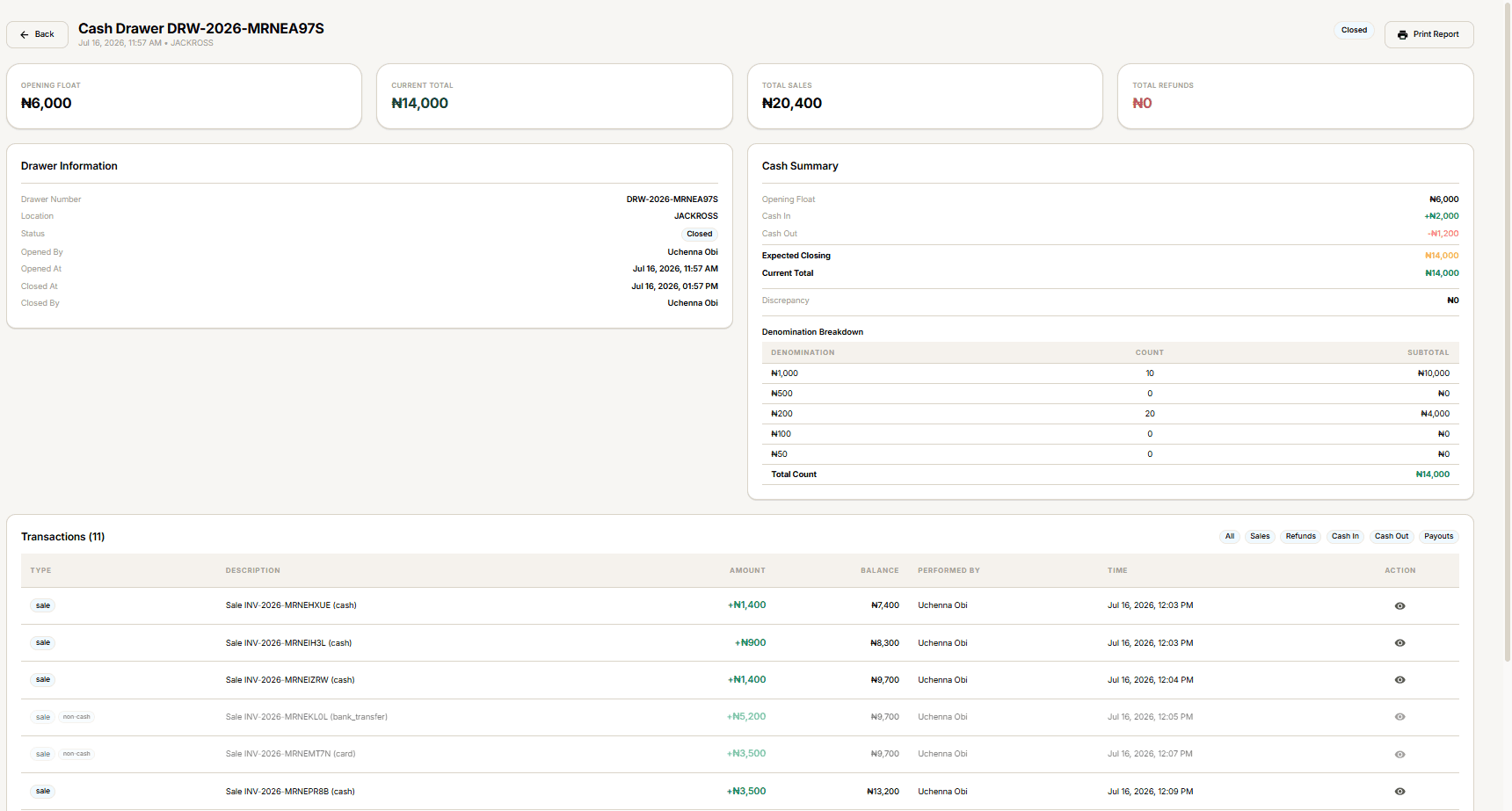
Reading the screen
- Summary cards — Opening Float, Current Total, Total Sales, Total Refunds.
- Drawer Information — drawer number, location, status, who opened/closed it and when.
- Cash Summary — Opening Float, Cash In, Cash Out, Expected Closing, Current Total, and Discrepancy (Current Total minus Expected Closing — zero means it balances).
- Denomination Breakdown — the count and subtotal for each note, from whenever it was last counted.
- Transactions — every entry against this drawer, filterable by chip: All, Sales, Refunds, Cash In, Cash Out, Payouts. Each sale transaction links to its Sale Detail.
Print Report doesn't do anything yet — selecting it has no effect. This is a confirmed gap in the current build, not something you're doing wrong.
While the drawer is open
Three actions appear only while the drawer is open:
- Add Transaction — see Adding a Drawer Transaction.
- Count Cash — see Counting a Cash Drawer.
- Close Drawer — see Closing a Cash Drawer.
Once closed, none of these three remain — the page becomes a read-only record.